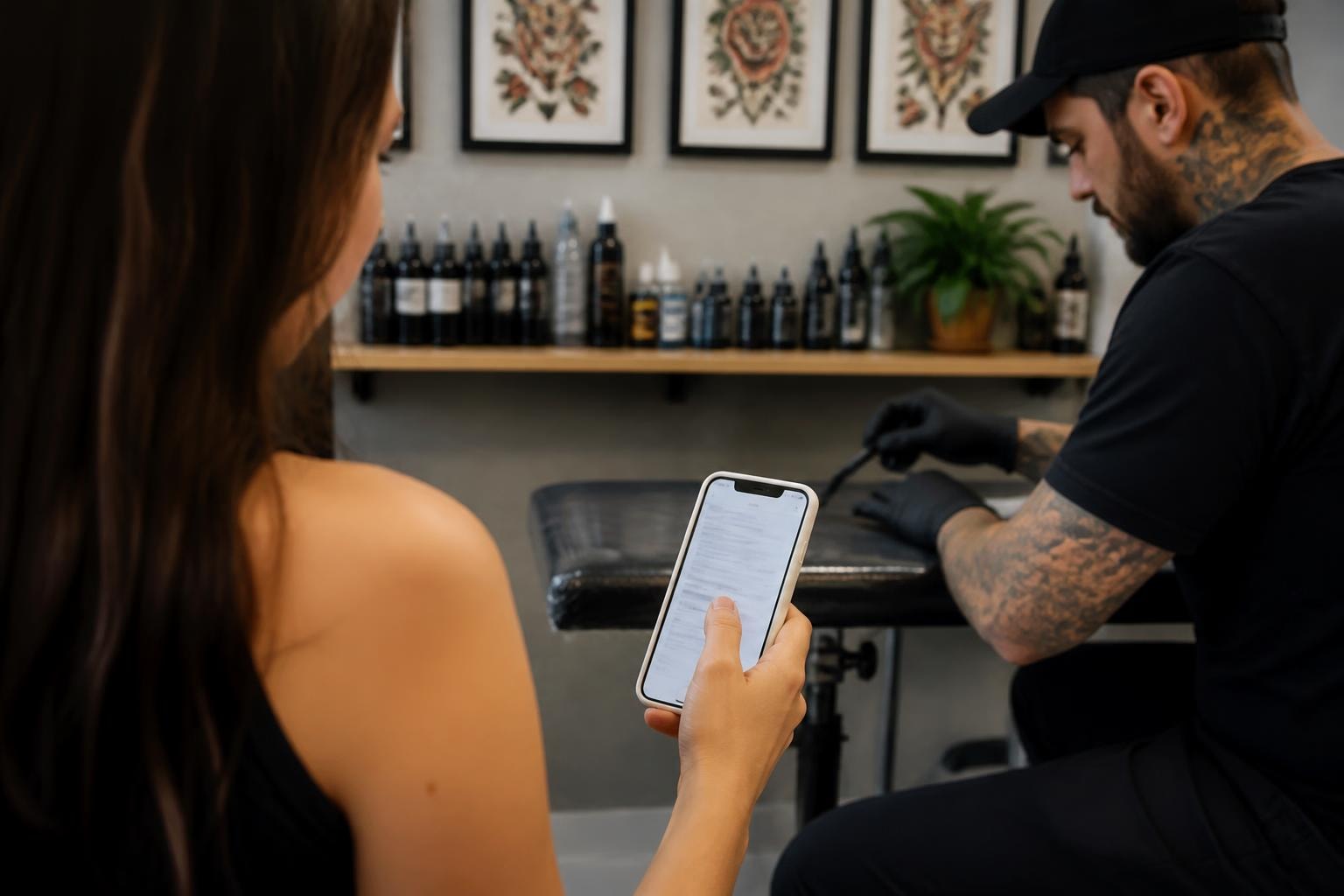
Running a professional tattoo shop means protecting your business from liability while providing clients with a seamless booking experience. Traditional paper consent forms create operational headaches that digital solutions eliminate. An online consent form streamlines your intake process, reduces storage costs, and creates legally defensible documentation that survives health department inspections and potential disputes. This shift from paper to digital represents more than convenience-it fundamentally improves how you manage client relationships and business risk.
Why Tattoo Shops Need Digital Consent Documentation
Paper forms cost tattoo shops thousands annually in overhead expenses. You're paying for printing, physical storage space, filing systems, and staff time spent organizing documents. Walk-ins fill out illegible forms that get coffee-stained or misplaced between the front desk and your station. When a client returns six months later claiming an allergic reaction, you're frantically searching file cabinets hoping you stored their paperwork correctly.
Digital consent systems solve operational problems:
- Eliminate printing and storage costs completely
- Create searchable databases organized by client name or date
- Ensure every form is readable and complete before clients arrive
- Generate automatic backups that survive equipment failures or disasters
Health department inspectors increasingly expect professional record-keeping systems. Showing up with organized digital records demonstrates operational maturity that paper systems cannot match. You're also protecting yourself from liability disputes where missing or damaged paperwork could undermine your legal position.

Legal Requirements for Electronic Consent in US Tattoo Shops
Electronic signatures carry the same legal weight as handwritten signatures under the Electronic Signatures in Global and International Commerce Act (ESIGN Act). However, implementing an online consent form requires understanding specific compliance requirements that vary by jurisdiction. California, New York, and Texas have additional state-level regulations governing consent documentation in body art establishments.
Federal Compliance Standards
The ESIGN Act requires that clients affirmatively consent to receive documents electronically. Your intake process must clearly inform clients they're signing digitally and give them the option to request paper alternatives. Electronic consent regulations require maintaining audit trails showing when forms were accessed, completed, and signed.
Your digital consent system must include:
- Clear disclosure that clients are signing electronically
- Ability for clients to withdraw consent and request paper forms
- Permanent records showing signature timestamps and IP addresses
- Secure storage protecting client data from unauthorized access
State-Specific Requirements
Different states impose varying documentation standards for tattoo shops. Florida requires consent forms to include specific warnings about infection risks and aftercare responsibilities. Oregon mandates that minors (16-17 with parental consent) have additional guardian signatures. Nevada requires consent forms to acknowledge receipt of aftercare instructions as a separate document.
Research your state's Department of Health or Cosmetology Board regulations before implementing any electronic system. Many jurisdictions now explicitly permit digital forms but require specific disclosures or data retention periods. When operating multiple locations across state lines, ensure your system accommodates the strictest requirements from all operating jurisdictions.
GDPR and International Data Protection Considerations
If you serve international clients or operate in jurisdictions with strict privacy laws, your online consent form must comply with General Data Protection Regulation (GDPR) standards. Even US-based shops need GDPR compliance if you occasionally work with European clients during guest spots or conventions. GDPR consent management requires explicit, informed consent before collecting personal data.
| Requirement | GDPR Standard | US Standard | Implementation |
|---|---|---|---|
| Consent specificity | Must specify exact data uses | General consent acceptable | Checkbox for each data purpose |
| Withdrawal rights | Easy opt-out required | Varies by state | One-click withdrawal option |
| Data retention | Limited to necessary period | Varies (often 7 years) | Automatic deletion policies |
| Access requests | Must provide data within 30 days | Varies by state privacy laws | Automated client data exports |
California's Consumer Privacy Act (CCPA) creates GDPR-like requirements for shops serving California residents. You must disclose what personal information you collect, allow clients to request deletion, and provide opt-out mechanisms for data sales. Most tattoo shops don't sell client data, but your online consent form should explicitly state this fact.
Designing Effective Digital Consent Forms
Generic medical consent templates fail tattoo-specific liability scenarios. Your online consent form needs sections addressing bloodborne pathogen exposure, permanent nature of tattoos, color variation expectations, and touch-up policies. Professional forms also establish clear cancellation policies and deposit forfeiture terms that protect your scheduling revenue.
Essential Form Sections
Every tattoo consent form should address these operational and legal areas:
- Client identification and emergency contact information
- Medical history screening for contraindications (diabetes, hemophilia, immunosuppression, active skin infections)
- Acknowledgment of permanent body modification
- Understanding that healing varies by individual
- Acceptance of infection risks despite proper sterilization
- Aftercare instruction receipt acknowledgment
- Photography and portfolio usage permissions
- Cancellation and deposit policies
- Dispute resolution and waiver of liability terms
Best practices for online consent forms emphasize using plain language that clients actually understand. Replace legal jargon with clear explanations. Instead of "The party of the first part hereby indemnifies," write "You agree that you won't sue us if."
Mobile Optimization Requirements
Your clients complete forms on smartphones while sitting in coffee shops or riding public transit. An online consent form that requires desktop computers creates friction in your booking flow. Mobile-responsive design isn't optional-it's essential for operational efficiency.
Mobile-friendly form design includes:
- Single-column layouts that don't require horizontal scrolling
- Large tap targets for checkboxes and signature fields
- Progressive disclosure hiding optional sections until needed
- Auto-save functionality preventing data loss from interruptions
Test your forms on older Android devices and budget smartphones, not just premium iPhones. Many tattoo clients use budget devices with smaller screens and slower processors. Forms that crash or become unusable on these devices force you back to paper systems.
Implementation Strategy for Multi-Artist Studios
Solo artists implement digital consent systems in minutes. Multi-artist studios face coordination challenges ensuring every artist accesses the correct client forms without privacy violations. Your system needs permission controls preventing artists from viewing other artists' client records unless they're covering appointments.
Artist Permission Structures
Studios should implement role-based access controlling who sees what information:
| Role | Access Level | Typical Permissions |
|---|---|---|
| Shop Owner | Full administrative | View all records, manage users, export data |
| Lead Artist | Department oversight | View assigned clients, generate reports, manage apprentices |
| Staff Artist | Individual clients | View only personal client appointments |
| Apprentice | Supervised access | View assigned practice clients with mentor approval |
| Front Desk | Intake only | Create new forms, no access to completed records |
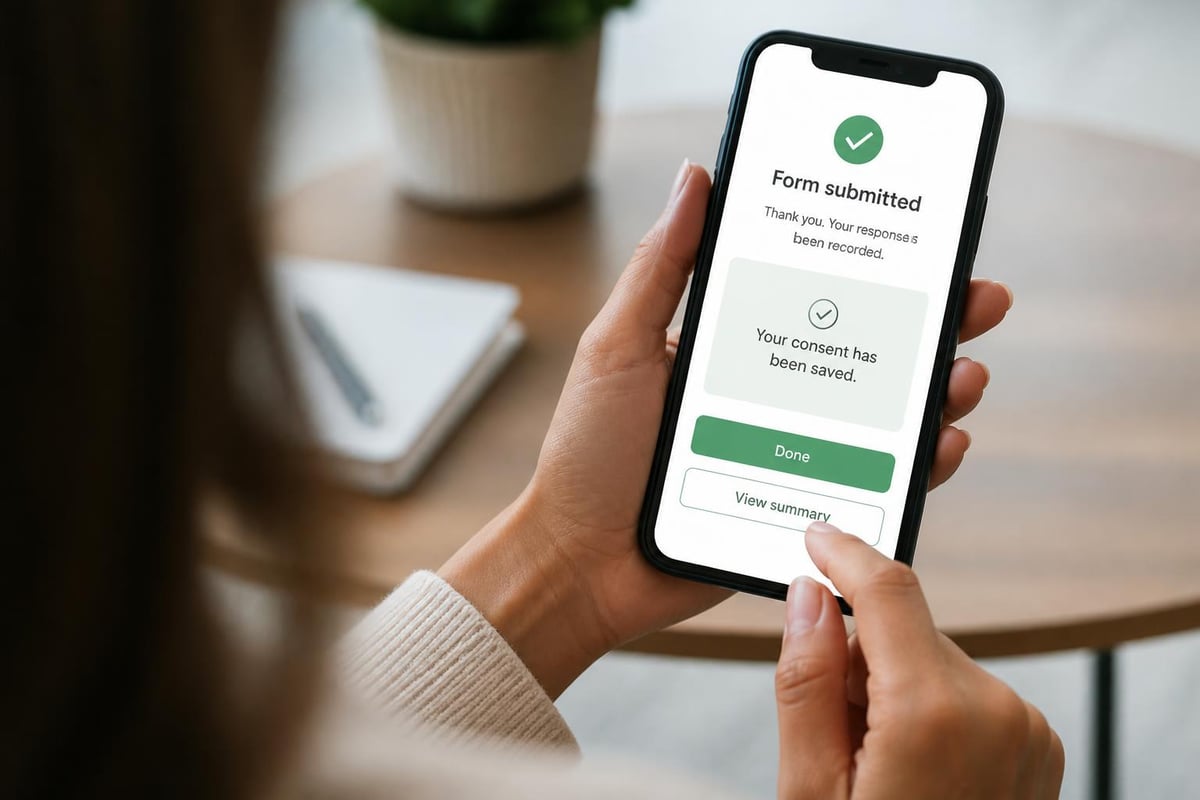
InkWaiver provides role-based permissions specifically designed for tattoo shop workflows, allowing owners to maintain control while giving artists the autonomy they need. The system lets clients complete forms on their phones before arriving, eliminating front-desk bottlenecks during busy periods.
Integration with Booking Systems
Your online consent form should connect directly to your scheduling software. When clients book appointments online, they automatically receive consent forms to complete before arrival. This integration eliminates the awkward waiting room period where clients fill out paperwork while you're ready to start.
Automated workflows might include:
- Client books appointment through online system
- Confirmation email includes consent form link
- Reminder sent 48 hours before appointment if form incomplete
- Final reminder 24 hours before appointment
- Form locks after appointment time preventing retroactive modifications
Some artists prefer sending consent forms immediately after deposit payment, creating a psychological commitment that reduces no-shows. Others send forms 72 hours before appointments, preventing clients from forgetting they completed paperwork weeks earlier.
Data Security and Breach Prevention
Client consent forms contain protected health information under HIPAA-adjacent state privacy laws. While tattoo shops aren't HIPAA-covered entities, you still face legal liability from data breaches exposing medical conditions, identification numbers, or contact information. Online informed consent procedures from research institutions provide security frameworks applicable to commercial consent systems.
Encryption Standards
Your online consent form platform must encrypt data both in transit and at rest. Look for systems using AES-256 encryption for stored data and TLS 1.2 or higher for data transmission. Client signatures and medical disclosures represent sensitive information requiring bank-level security protocols.
Minimum security requirements:
- Two-factor authentication for artist accounts
- Automatic logout after inactivity periods
- Encrypted backups stored in geographically diverse locations
- Regular security audits and penetration testing
- SOC 2 Type II compliance certification
Avoid storing consent forms on shared drives, personal email accounts, or unsecured cloud storage. These makeshift solutions create massive liability exposure if compromised. Professional consent platforms maintain compliance certifications and carry cyber liability insurance protecting you from breach consequences.
Handling Minors and Parental Consent
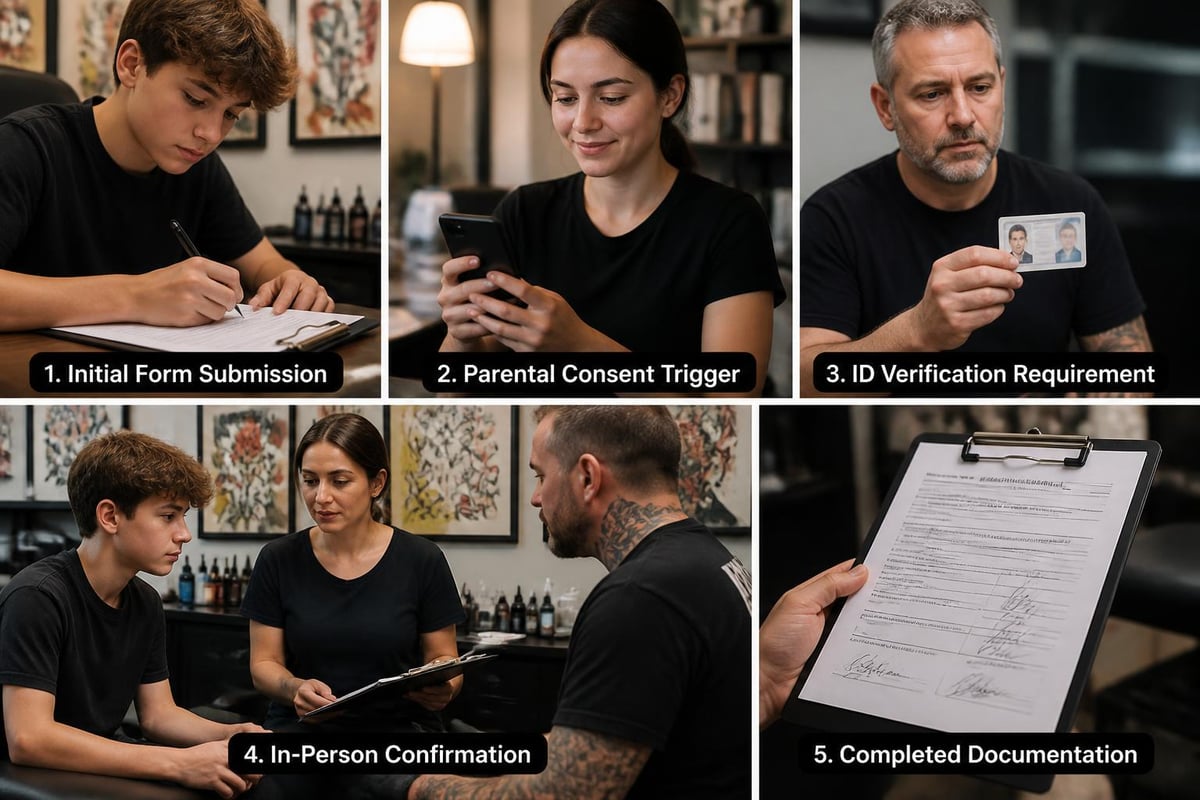
Tattooing minors requires additional consent layers beyond standard adult forms. States permitting minor tattoos (typically 16+ with parental consent) mandate that parents or legal guardians sign consent forms in person with government-issued identification verification. Your online consent form must accommodate these scenarios without compromising age verification protocols.
Compliant Minor Consent Workflows
Verifiable parental consent requirements under COPPA provide guidance for obtaining authenticated guardian approval. While COPPA specifically addresses online data collection from children under 13, the verification principles apply to minor tattoo consent.
Implementation steps for minor clients:
- Minor completes medical history sections online
- System flags minor status and locks form
- Parent receives separate consent link requiring ID upload
- In-person verification at appointment confirms parent identity
- Artist witnesses and co-signs parental consent
- Digital record links minor form to verified parental approval
Never complete tattoos on minors using only electronic parental consent. Physical presence verification prevents fraud scenarios where minors forge parental approval. Your digital system should facilitate the process while maintaining required in-person verification steps.
Audit Trails and Legal Defensibility
During liability disputes, your ability to prove informed consent depends entirely on documentation quality. An online consent form creates automatic audit trails showing exactly when clients accessed forms, how long they spent reviewing information, and the precise timestamp of signature. These metadata elements provide evidence that paper forms cannot match.
What Courts Expect to See
Successful legal defense requires demonstrating that clients had genuine opportunity to review and understand consent terms. Courts scrutinize whether forms were presented at high-pressure moments or given adequate consideration time. Digital systems automatically create this evidence chain.
Legally defensible digital records include:
- Form access timestamp showing when client opened document
- Scroll tracking confirming client reviewed all sections
- Time-on-page metrics demonstrating adequate review period
- IP address and device information for identity verification
- Signature timestamp and biometric signature characteristics
- Modification history showing any post-signature changes
Maintain these records for at least seven years after service completion. Some jurisdictions require longer retention for medical records. Common GDPR compliance failures include deleting records too quickly or failing to maintain proper access logs during retention periods.
Client Experience and Completion Rates
Switching to an online consent form only improves operations if clients actually complete forms before appointments. Poorly designed digital experiences create friction causing clients to show up with incomplete paperwork, defeating the entire system's purpose. Form abandonment rates above 30% indicate design problems requiring immediate correction.
Optimizing Completion Rates
Track your completion metrics identifying where clients abandon forms. Common dropout points include overly long medical history sections, confusing legal language, or technical errors on mobile devices. A/B testing different form structures reveals what works for your specific client demographic.
Tactics that improve completion:
- Progress bars showing how much remains
- Save-and-resume functionality for multi-session completion
- Smart conditional logic hiding irrelevant questions
- Plain language explanations for complex terms
- In-app support chat for confused clients
Send completion reminder emails 48 and 24 hours before appointments. These reminders should emphasize that incomplete forms delay appointment start times, creating social pressure to complete paperwork promptly. Some shops implement policies requiring form completion 24 hours before appointments or face rescheduling.
Managing Form Updates and Version Control
Consent form requirements change as regulations evolve and your business offerings expand. Adding new services, updating aftercare protocols, or responding to new health department requirements means modifying your online consent form. Professional systems maintain version control ensuring you know exactly which form version each client signed.
| Scenario | Version Control Need | Implementation |
|---|---|---|
| New service added | Different consent for new technique | Create service-specific form variants |
| State law changes | Update legal language | Archive old versions, deploy new default |
| Health crisis | Add pandemic screening | Emergency update with change tracking |
| Client dispute | Prove what client agreed to | Retrieve exact form version from date |
Never modify forms retroactively or delete old versions. Courts consider this evidence tampering. Your system should archive every form version with deployment dates and change logs. When disputes arise, you must prove exactly what language the client agreed to on their specific appointment date.
Training Staff on Digital Systems
Transitioning from paper to an online consent form requires training front desk staff, artists, and apprentices on new workflows. Resistance typically comes from artists comfortable with existing paper processes who view digital systems as unnecessary complexity. Address this resistance through hands-on training demonstrating how digital forms reduce their administrative burden.
Effective Training Approaches
Role-play scenarios where staff practice common situations: walk-ins needing immediate consent forms, clients claiming they never received email links, or artists unable to access records during guest spots. Creating effective online consent forms requires not just technical implementation but staff buy-in ensuring consistent usage.
Training curriculum should cover:
- How to send consent form links during booking
- Accessing completed forms before appointments
- Handling clients who arrive without completing forms
- Troubleshooting common technical issues clients report
- Privacy protocols preventing unauthorized record access
- Emergency paper backup procedures when systems fail
Schedule refresher training quarterly and after system updates. Document standard operating procedures in your employee handbook ensuring consistent practices across all staff regardless of tenure or experience level.
Cost-Benefit Analysis for Digital Consent
Shop owners evaluate digital systems through ROI calculations comparing subscription costs against paper system expenses and efficiency gains. An online consent form typically costs $30-80 monthly depending on client volume, while paper systems carry hidden costs that accumulate over years.
Annual paper system costs:
- Printing and paper stock: $300-600
- Physical storage space: $200-400
- Filing supplies and organization: $150-300
- Staff time managing paperwork: $2,000-4,000
- Risk from lost or damaged forms: $5,000+ (potential litigation costs)
Digital systems pay for themselves within three to six months for most shops. Additional benefits include improved client experience, faster appointment starts, and enhanced professional image. Health department inspectors respond positively to organized digital records, potentially avoiding violations related to documentation gaps.
Factor in reduced no-show rates when clients complete forms digitally. The psychological commitment of completing pre-appointment paperwork increases show-up rates by 10-15% according to industry data. For shops losing $500+ monthly to no-shows, this improvement alone justifies digital investment.
Implementing an online consent form transforms how tattoo shops manage client documentation, legal compliance, and operational efficiency. The shift from paper to digital eliminates costly overhead while creating legally defensible records that survive inspections and disputes. For professional artists serious about protecting their business, digital consent isn't optional anymore-it's essential infrastructure for modern shop operations. InkWaiver helps tattoo shops make this transition seamlessly, offering legally compliant digital forms that clients complete on their phones in minutes, eliminating paper headaches while strengthening your legal protection.
Article written using RankPill.